Your mouse is a "spring brush"
That’s the core of InkField: a physical simulation between cursor and brush, like a real spring.
Three key actors
Spring pulls the brush toward the mouse; damping slows it down. Together they give a natural brush feel.
Speed and thickness: faster = thinner
Physics Core formula
The whole thickness change boils down to one line of code:
// brushSizeNow = brushSize - brushSpeed
That's it! Higher speed → more subtracted → thinner line.
Here's a quick visual:
Thickest
speed ≈ 0
Medium
speed ≈ 3
Thinner
speed ≈ 8
Very thin
speed ≈ 15
Same as a real brush! Press slowly and the bristles spread → thick line. Sweep fast and the bristles don't fully touch the paper → thin line.
In calligraphy this is "lift and press"—fast = lift (thin), slow = press (thick).
How speed is computed
The program uses the brush's "acceleration" (spring + damping):
accelX += (mouseX - brushX) × springForce
accelY += (mouseY - brushY) × springForce
// 2. Damping (decelerate)
accelX ×= dampingForce
accelY ×= dampingForce
// 3. Combine into one speed
speed = √(accelX² + accelY²)
That "speed" is what gets subtracted from brushSizeNow.
Different brush sizes, different speed sensitivity
Big brushes have more inertia; small brushes react less to speed.
| Brush size | Speed factor | Feels like |
|---|---|---|
| 0.1 ~ 1.0 (tiny–small) | × 0.9 | Pen, technical pen |
| 2.0 (medium) | × 1.3 | Normal brush |
| 3.0 (large) | × 2.0 | Large brush |
| 5 ~ 10 (very large) | × 3.0 | Flat brush, scrub |
Higher factor = speed affects thickness more. A big brush swept fast can get very thin!
Spring–damper: why strokes feel elastic
Imagine a ball on a spring. You pull it down and let go:
🔴 It bounces up (spring pulls back)
🔴 Overshoots (inertia)
🔴 Then settles (damping slows it)
Your brush does the same: pulled toward the mouse by spring force, slowed by damping.
📖 Further reading: On simulating brush-tip following and thickness variation with Hooke's Law, see BUN's brush pen tutorial on OpenProcessing
Physics Two forces
Spring force (springForce)
Pulls the brush toward the mouse.
Default = 0.5. Higher → brush follows tighter; lower → slower response.
Damping (dampingForce)
Friction that slows the brush.
Default = 0.5. Higher → smoother glide; lower → stops quicker, stiffer.
// Step 1: Spring pulls brush toward mouse
accelX += (mouseX - brushX) × 0.5
accelY += (mouseY - brushY) × 0.5
// Step 2: Damping decays acceleration
accelX ×= 0.5
accelY ×= 0.5
// Step 3: Move brush
brushX += accelX
brushY += accelY
Why not just snap the brush to the mouse? That would look rigid, like a ruler. With spring–damper, the brush naturally "chases" the cursor and overshoots slightly on turns—like a real brush.
Spring settings per brush mode
Modes tweak spring and damping for different feel:
| Mode | Spring | Damping | Effect |
|---|---|---|---|
| Mode 1 (Ink Brush) | 0.6 | 0.5 | Responsive, bouncy |
| Mode 2 (Marker) | 0.3 | 0.5 | Softer, more lag |
| Mode 4 (Dry Brush) | 0.6 | 0.5 | Responsive, bouncy |
| Mode 5 (Spray Dots) | 0.6 | 0.5 | Responsive, bouncy |
Mode 2 (Marker) uses spring 0.3—much lower—so strokes feel softer and more delayed, good for slow calligraphy.
Calligraphy: start, move, end
Calligraphy Three phases per stroke
Traditional calligraphy has "start, move, end." InkField maps them to code.
Start (mousePressed)
On mouse down:
strokeSeed = random large number
// 2. Initial size from brush size
initialSize = random(20~24) × baseBrushSize
// 3. Physics
springForce = 0.5, dampingForce = 0.5
// 4. Reset velocity
brushSpeed = 0, accelX = accelY = 0
Like "intent before the brush"—set everything before drawing.
Move (mouseDragged)
Each pixel of movement runs one full physics step: spring → damping → update speed → compute thickness → draw a short segment. This loop runs 60 times per second, so strokes look smooth.
End (mouseReleased)
After release, the line doesn't vanish. The program enters a "countdown": the feedback shader keeps diffusing ink with decreasing strength until it stops, then the stroke is encoded and the canvas cleared for the next stroke.
Like a drop of ink in water: Start = drop falls in. Move = ink spreads. End = ink settles and stops.
Six stroke techniques
Calligraphy Six classic techniques, all in code
Lift, press, turn, fold, speed, drag—InkField's physics produces all six naturally.
Lift (fast move → thinner)
In calligraphy, "lift" means less contact. In code: faster mouse → higher brushSpeed → smaller brushSizeNow.
Press (slow move → thicker)
"Press" = full contact. Slower (or still) mouse → brushSpeed near zero → brushSizeNow near max.
Turn (smooth curve)
"Turn" is a rounded bend. The damper makes the brush follow smooth arcs instead of sharp corners; interpolation steps smooth the path.
Fold (sharp direction change)
"Fold" is an angular turn. A sudden direction change plus high spring force gives a sharp corner.
Speed (fast → dry-brush "fly white")
Fast movement shrinks brushSizeNow and triggers dry-brush (fly white)—gaps in the stroke (see next chapter).
Drag (slow → heavy, slight shake)
Slow movement keeps brushSizeNow large; damping adds a subtle "shake"—the brush doesn't sit perfectly still.
We didn't hand-code these six—they emerge from one good physics model (spring + damping). Simple rules, rich behaviour.
Dry-brush effect: when you move too fast
Physics What is "fly white"?
In calligraphy, "fly white" (飛白) is when you move so fast that ink doesn't fill the stroke—white gaps appear. InkField simulates this with a "fly branch" system.
Imagine a broom with paint: slow sweep → bristles stay together, solid line. Fast sweep → bristles spread, each leaves a thin trace with gaps. "Fly branches" are those spread bristles—small lines around the main stroke.
Fly-branch structure
Each stroke is not one line but a bundle:
Branch layout
Branches are arranged at fixed angles like clock positions: Type 3 (8 branches, 45° apart); Type 4 (12 branches, 30° apart). Each branch has offset and probability—some may not appear at some positions, giving a natural broken look.
Branch thickness limits
So even very thin brushes (e.g. 0.1) show fly-branch effect, min/max thickness are set:
| Brush size | Branch min | Branch max |
|---|---|---|
| 0.1 | 0.6 px | 2.0 px |
| 0.25 | 0.6 px | 0.7 px |
| 1.0 | 0.6 px | unlimited |
| 5.0 | 0.6 px | unlimited |
0.6 px is about the smallest visible thickness.
Seven brush modes overview
InkField has 7 brush modes with different physics and drawing:
| Mode | Name | Initial size | Spring | Notes |
|---|---|---|---|---|
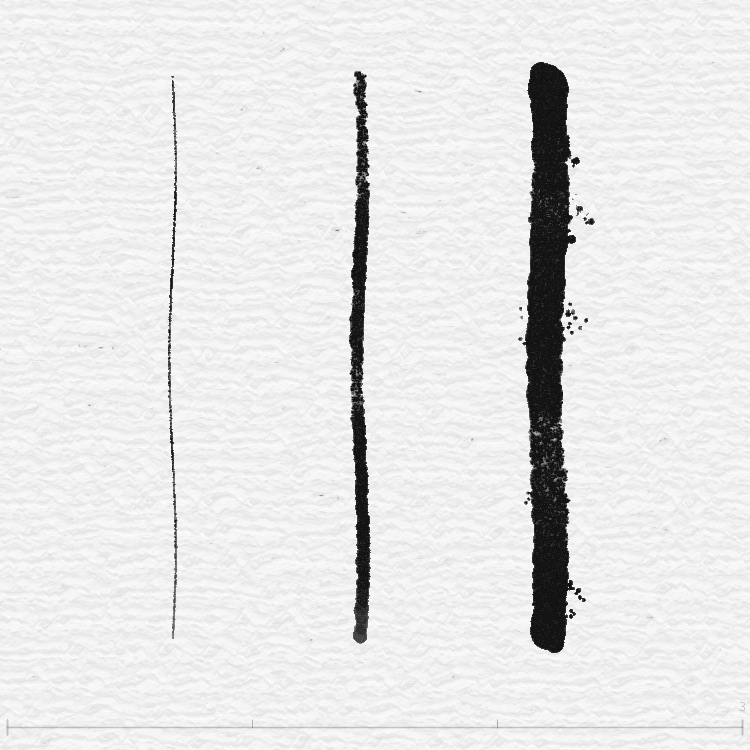
| 1 | Ink Brush | 20~24 × size | 0.6 | Main + fly branches, full brush feel |
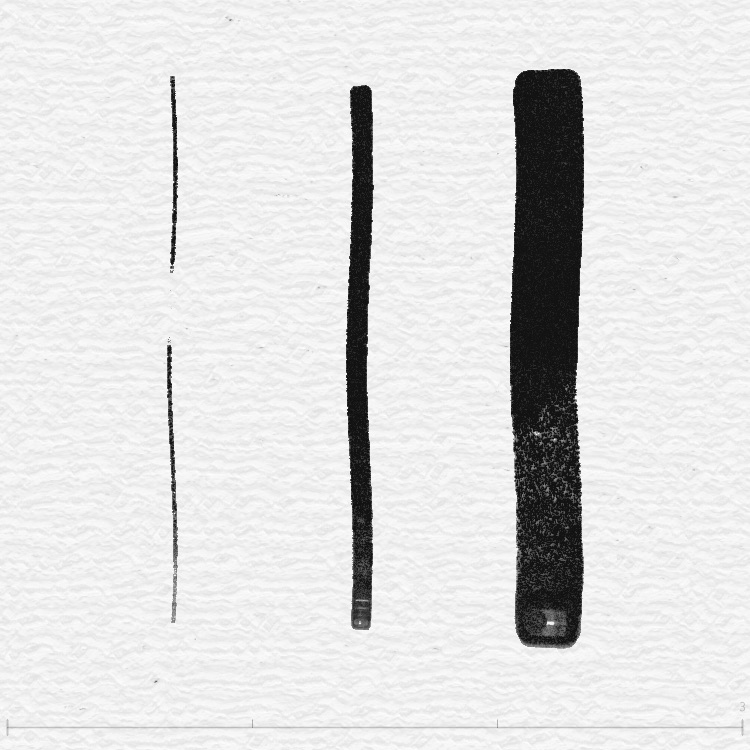
| 2 | Marker | 20~24 × size | 0.3 | Softer, more delay; good for slow writing |
| 3 | Spray Paint | 2~4 × size | — | No thickness decay, fixed spray |
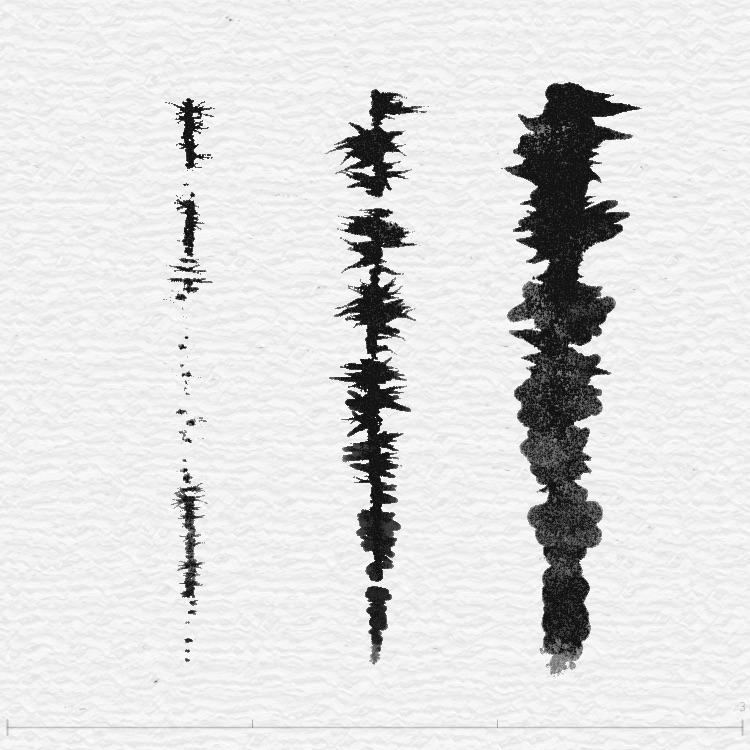
| 4 | Dry Brush | 6~9 × size | 0.6 | Grainy, dry texture |
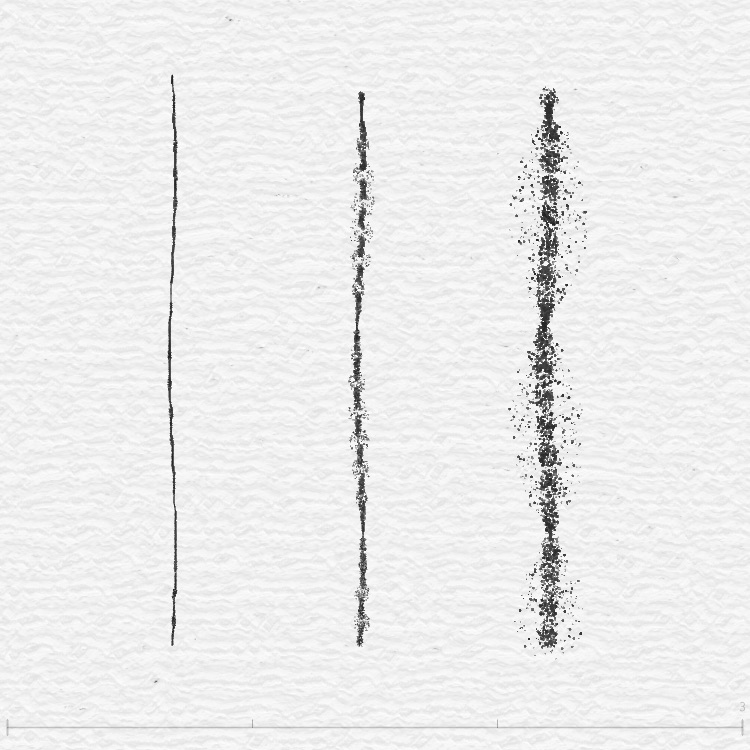
| 5 | Spray Dots | 10~14 × size | 0.6 | Clean lines, good for sketching |
| 6 | Flat Brush | Config | 0.6 | Many fly branches (up to 50), seed-based |
| 7 | Deckle Edge | Config | 0.6 | Calligraphy-focused, strong stroke variation |
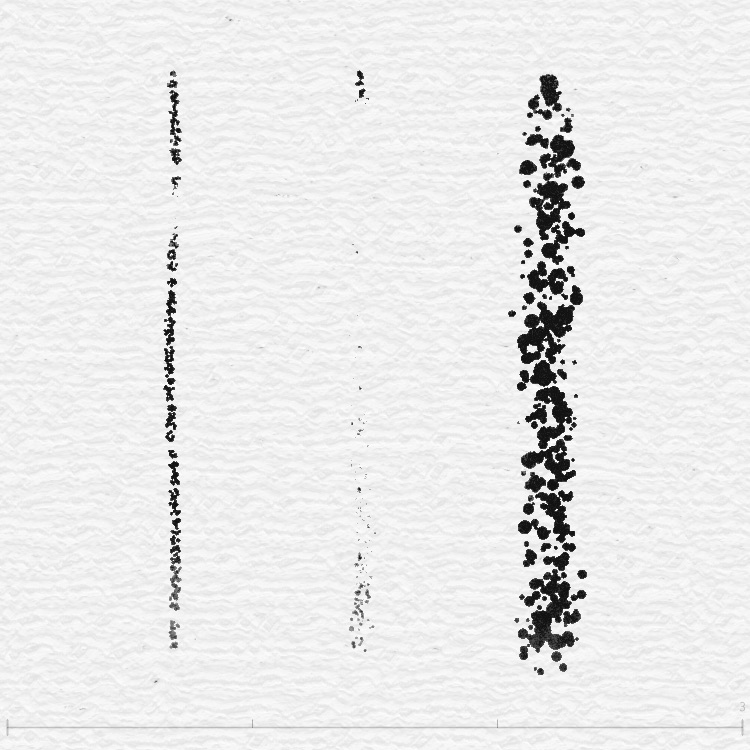
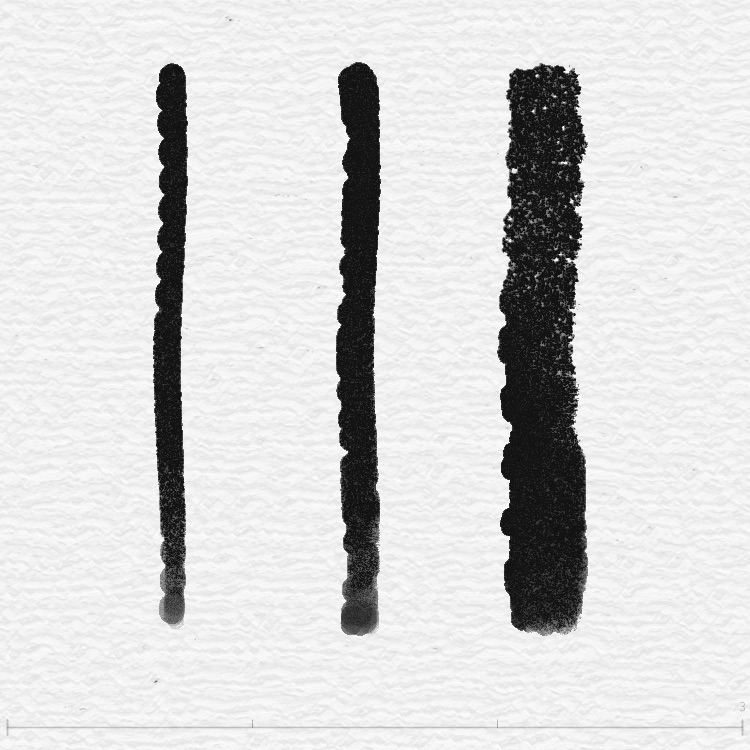
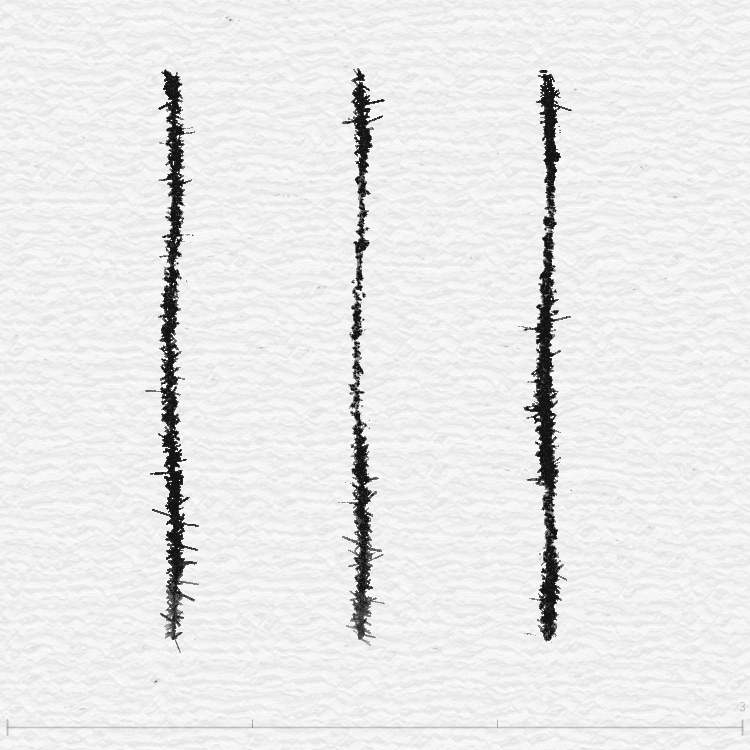
Mode previews
Each mode at sizes 0.25, 1, 3 (left to right):
Flat Brush (Mode 6) specifics
Mode 6's branches aren't fixed—they're seed-random. Each stroke uses strokeSeed to generate a new set: small brush (~0.5) 5~10 branches, medium (~2) 10~15, large (~3) 20~30, very large (5~10) 30~50. Same seed → same layout, so recording and replay stay in sync.
Size decay over the stroke
Long strokes get gradually thinner because each frame the program reduces size a bit:
currentSize = max(1, currentSize) // floor at 1
brushSize = currentSize
This mimics "running out of ink"—thick at the start, thinner toward the end.